
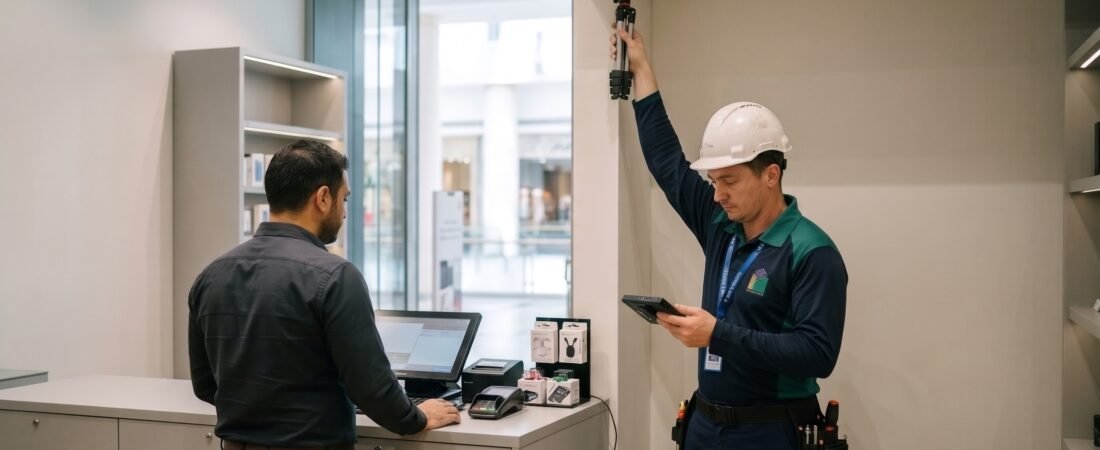
Most disappointing CCTV systems weren’t badly installed. They were badly planned. The cameras work, the recorder runs, and yet when something happens, the footage shows the back of a head, a blur in a doorway or nothing at all, because the recorder overwrote it two days ago. Those failures start long before installation, in two decisions: where the cameras look and how much footage you can keep.
This guide walks through how to plan both for CCTV for offices, shops and warehouses Dubai. It covers working out what you need to see, choosing the right camera for each job, laying out coverage, sizing storage and retention with a worked example, and the planning mistakes that cause most regrets.
Start With Purpose, Not Cameras
Before anyone counts cameras, answer four questions:
- What are you protecting? People, cash, stock, equipment, data, vehicles, reputation
- What are you trying to prevent or prove? Theft, damage, unauthorised access, disputes, health and safety incidents, insurance claims
- What level of detail do you need? Knowing someone was there, or being able to identify who
- Who will use the footage? Your staff, your landlord, your insurer, the police
The answers shape everything else. A shop mainly needs to identify people at the till and the door. A warehouse needs wide coverage of loading bays and perimeters. An office needs entry control and sensitive areas, with careful attention to privacy.
Understand What “Good Enough” Footage Means
“HD” isn’t a single standard. A widely used planning guide for CCTV (often called DORI, from the international standard for CCTV application requirements) sets four levels of detail based on how many pixels cover a metre of the scene:
| Level | What You Can Do | Approx. Pixels per Metre |
|---|---|---|
| Detect | Tell that a person or vehicle is present | About 25 |
| Observe | See general characteristics, such as clothing or vehicle type | About 62 |
| Recognise | Be fairly sure you’re looking at someone you already know | About 125 |
| Identify | Identify an unfamiliar person with a high degree of certainty | About 250 |
These figures are guidelines, and your installer should apply them to your actual cameras, lenses and distances. The practical lesson is that different areas need different levels. A car park perimeter might only need “detect” or “observe,” while a till, a main door and a loading-bay gate might need “identify.” Planning by purpose, rather than putting the same camera everywhere, saves money and improves results.
Camera Types and Where They Fit
| Camera Type | Best For | Watch Out For |
|---|---|---|
| Dome | Offices, retail interiors, entrances | Discreet but can be harder to aim precisely; can look intrusive if overused |
| Bullet | Exterior walls, car parks, warehouse bays | Clearly visible deterrent; needs correct outdoor rating |
| PTZ (pan-tilt-zoom) | Large yards, car parks, wide warehouse floors | Only watches one place at a time, so pair it with fixed cameras |
| Fisheye / panoramic | Open-plan floors, shop interiors, reception | Wide coverage but lower detail at distance |
| Specialist (ANPR, thermal, low-light) | Vehicle gates, perimeters, very dark areas | Higher cost and specific setup requirements |
In Dubai’s conditions, check that outdoor cameras and housings are rated for heat, dust and sun, that cables and connectors are protected, and that cameras exposed to glass or bright sunlight can handle glare- you can check our guide to Best CCTV Cameras to compare cameras types before decide.
Plan Coverage by Premises Type
Offices
Priorities: entry and exit control, reception, server and comms rooms, stairwells and shared areas, car park access and any area holding valuables or sensitive information.
- Cover entrances and reception: with cameras that can identify people entering
- Cover corridors and stairs: at a level suitable for observing movement
- Cover sensitive rooms: such as server, comms and archive rooms
- Be careful inside the working area: Cameras pointed at desks and meeting rooms raise privacy and employee-relations issues, so keep coverage purposeful, communicate it clearly and avoid areas where people expect privacy
- Never cover restrooms or changing areas
Shops
Priorities: the till and cash handling, the entrance and exit, high-value displays, the stockroom, blind spots in aisles and the back door or delivery area.
- Identify-level coverage: on the entrance and the till, ideally from a height and angle that captures faces rather than the tops of heads
- Observe-level coverage: across aisles and displays
- Cover the stockroom and staff entrance
- Account for glare: from shopfront glass, and angle cameras to avoid direct sunlight at certain times of day
- Mind the lighting: displays, mirrors and reflective surfaces affect image quality
Warehouses
Priorities: loading bays and docks, perimeter fences and gates, aisles and racking, high-value stock zones, vehicle entry and exit, and forklift or machinery areas.
- Use wide coverage: (bullet and PTZ combinations) for yards and perimeters
- Place cameras at the end of racking aisles: and at dock doors, where goods and people move in and out
- Cover vehicle gates: with cameras suitable for number plates where it’s relevant to your use
- Plan for height, dust and heat: since high mounting positions can be hard to reach for maintenance, and dust, heat and vibration affect equipment life
- Plan lighting: because poorly lit areas need either better lighting or low-light cameras
A Practical Coverage Planning Process
- Draw a simple floor plan: showing doors, windows, tills, racking, stairs, blind spots and any areas with valuables
- Mark critical points: such as entrances, cash areas, loading bays and high-value stock
- Decide the detail level (detect, observe, recognize, identify): needed at each point
- Place cameras: so fields of view overlap slightly and blind spots are covered, considering mounting height and angle
- Check lighting: at different times of day and night, including glare and shadows
- Check mounting and cabling routes: for practicality and safety
- Plan for future changes: such as new shelving, partitions or a changed layout
- Test on site: with a temporary camera or mock-up before finalising positions, if possible
A professional site survey should do all of this for you. If your installer hasn’t asked about your purposes, lighting and layout, that’s a red flag.
Resolution, Frame Rate and Compression: What to Choose
These three choices drive both image quality and storage:
- Resolution: higher resolution gives more detail, but also bigger files. A 4 MP (megapixel) camera covers a small shop well, while a wide warehouse yard may need higher resolution or more cameras.
- Frame rate: 15 to 25 frames per second is common for general surveillance. Higher frame rates help in busy cash or high-speed areas but increase storage needs.
- Compression (codec): modern codecs such as H.265 can store the same quality in much less space than older ones, but check recorder and software compatibility.
- Smart recording: motion-based or event-based recording can reduce storage, but continuous recording is safer in critical areas, and motion settings must be tested carefully.
Storage and Retention: How to Size It
Retention means how many days of footage you keep before the oldest recordings are overwritten. It’s often the most overlooked part of CCTV planning, and the one people regret.
The Basic Formula
Daily storage per camera ≈ average bitrate × 86,400 seconds ÷ 8
Total storage = daily storage per camera × number of cameras × retention days, plus an allowance for overhead and redundancy.
Worked Example (Illustrative Only)
Assume a small warehouse with 16 cameras, each recording continuously at an average of 4 Mbps (typical of a 4 MP camera using H.265, though real figures vary a lot), and a target retention of 30 days (used here only as an example, not a requirement).
| Step | Calculation | Result |
|---|---|---|
| Total bitrate | 16 cameras × 4 Mbps | 64 Mbps |
| Data per second | 64 Mbps ÷ 8 | 8 MB/s |
| Data per day | 8 MB/s × 86,400 s | about 691 GB/day |
| Data for 30 days | 691 GB × 30 | about 20.7 TB |
| With 20–30% allowance for overhead, variations and growth | about 20.7 TB × 1.2 to 1.3 | roughly 25 to 27 TB usable |
You would then choose drives and a configuration that deliver at least that usable capacity, allowing for redundancy such as RAID, which reduces usable space compared with the raw total of the drives.
Retention: What to Plan For
- Check the requirement for your premises: Retention periods depend on your category and are set by the relevant rules, so confirm what applies with a licensed installer and SIRA’s published information, not with a general guide.
- Plan above the minimum: Incidents are often discovered days or weeks later, so a safety margin is wise
- Plan for growth: More cameras, higher resolution and longer retention all increase storage
- Plan for exports and evidence: Reserve capacity or a separate method for saving important clips so they aren’t overwritten
Storage Design Choices
| Choice | What It Means |
|---|---|
| NVR (network video recorder) | A dedicated recorder for IP cameras, common in small to mid-sized systems |
| Server-based storage | Larger systems with more cameras and advanced software |
| RAID | Several drives working together so one failure doesn’t lose recordings |
| Surveillance-grade drives | Drives built for continuous writing, which fail less than standard desktop drives |
| Backup / off-site copies | A second location or cloud copy for critical recordings |
| Edge storage (SD cards) | A backup inside the camera, useful for network drops but not a replacement for proper recording |
Network, Power and Reliability
A plan that ignores these will fail the first time something drops:
- Network capacity: enough bandwidth and a suitable switch for the total camera load
- Power over Ethernet (PoE) budgets: enough power for every camera, including heaters or illuminators where fitted
- Backup power: a UPS so the system keeps recording through short outages
- Cabling: protected, labelled and routed to avoid heat, damage and interference
- Separate network segment: keeping CCTV off the main business network reduces cyber risk
- Remote access: set up securely, with strong passwords and controlled user rights
Privacy and Compliance
Planning coverage also means respecting people’s rights and the rules that apply to you:
- Don’t film where people expect privacy: such as restrooms, changing areas and neighbouring private spaces
- Use clear signage: where required
- Control who can view and export footage: and keep a log
- Check what approvals and requirements apply: to your premises category, with a licensed installer and SIRA’s published information. Our guide to verifying a SIRA approved CCTV company explains how to check an installer’s licence and technicians
Common Planning Mistakes
- Buying cameras before defining purpose: leading to the wrong types in the wrong places
- Using the same camera everywhere: instead of matching detail levels to needs
- Ignoring lighting and glare: so footage is unusable at night or in sunlight
- Mounting too high or at the wrong angle: capturing tops of heads rather than faces
- Undersizing storage: so footage is overwritten before you need it
- Skipping redundancy: so one failed drive means total loss
- Forgetting backup power and network capacity
- No plan for maintenance: so cameras drift, lenses get dirty and drives fail unnoticed- see our guide to CCTV AMC in Dubai.
- Not planning for layout changes: such as new racking or partitions
Questions to Ask Your Installer
- What level of detail will each camera deliver in each area?
- How did you decide on the camera positions, and can I see the plan?
- How have you calculated storage, and what retention does it give?
- What happens if a drive fails?
- How will the system cope with a power cut or a network fault?
- How is remote access secured?
- What approvals apply to my premises, and who handles them?
- What maintenance and support do you provide after installation?
Plan It Once, Use It for Years
Good CCTV for offices, shops and warehouses in Dubai comes from planning around what you need to see, matching camera types and detail levels to each area, sizing storage and retention properly, building in power, network and redundancy, and keeping the system maintained. Do that and the footage will be there, and usable, on the day it matters.
Book a free site survey and coverage plan today. Blue Diamond licensed team will walk your premises, show you proposed camera positions and the detail each will deliver, calculate storage and retention for your equipment and give you a clear written quotation, for offices, shops and warehouses anywhere in Dubai.
Contact us today on WhatsApp | Call | Email
Phone: +971 54 799 0113
Most Frequently Asked Question
How many cameras do I need for my shop, office or warehouse?
It depends on the layout, the purposes and the detail needed, not a standard number. A small shop might need a handful of well-placed cameras, an office a moderate number covering entrances and sensitive areas, and a warehouse many more for bays, aisles and perimeters. A site survey and a coverage plan will tell you.
How much CCTV storage do I need?
Storage depends on the number of cameras, resolution, frame rate, compression, scene activity and how many days you want to keep. Multiply average bitrate by recording time, then add an allowance for overhead and redundancy. Ask your installer to show the calculation for your system.
How long should CCTV footage be kept?
The required period depends on your type of premises and the rules that apply, so confirm it with a licensed installer and SIRA’s published information. It’s wise to plan for a margin above the minimum, since incidents are often discovered late.
What’s better, continuous or motion recording?
Motion recording saves storage but can miss events if it’s badly set up. Continuous recording is safer for critical areas such as tills, entrances and loading bays. Many systems use a mix, with settings tested carefully.
Is 4K always better than 4 MP?
Not always. Higher resolution gives more detail but uses much more storage and bandwidth, and it only helps if the lens, lighting and distance allow the detail to be captured. Match resolution to the need in each area.
Book Your Service In 30 Seconds
- 24/7 Support
- Customized solutions
- Experienced Technicians
- AMC Services
